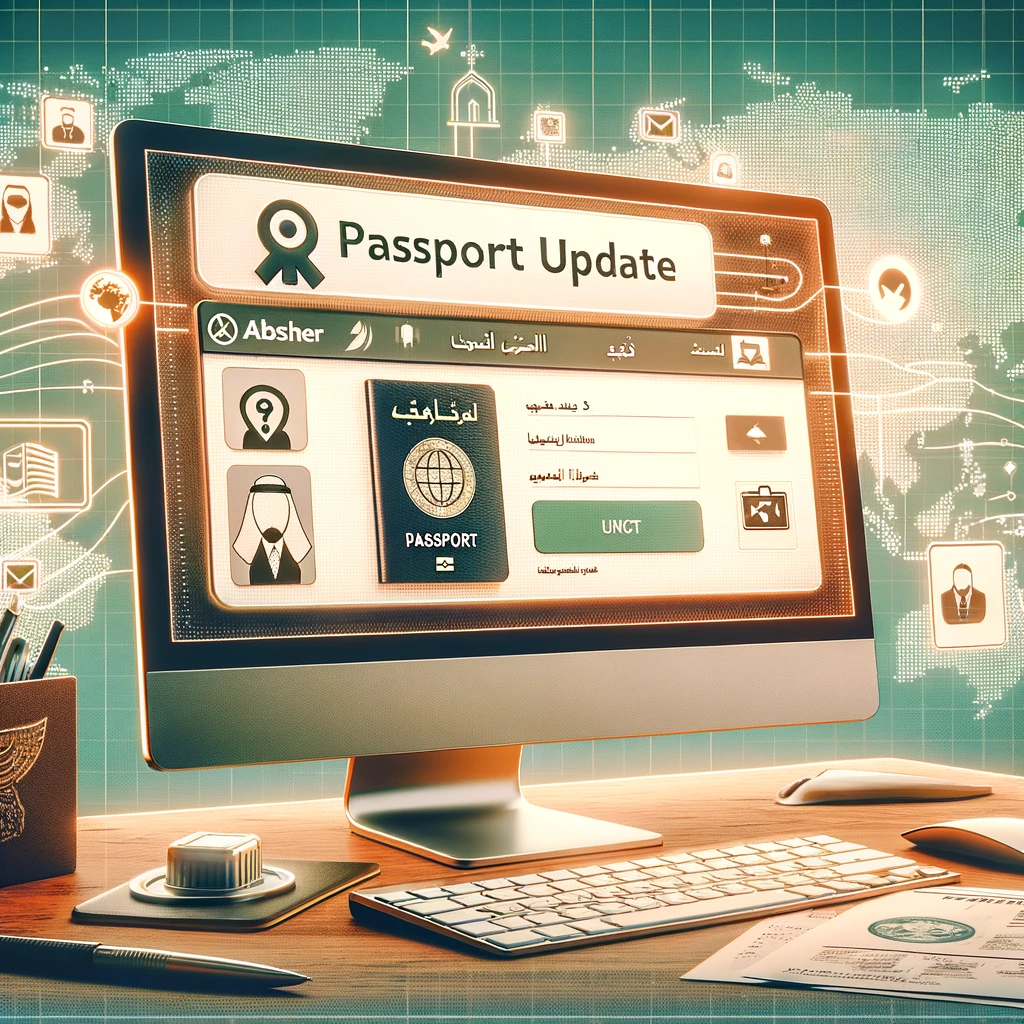
Online Update of Passport Information (Naqal Maloomat) on Absher
You can now update your dependents' passport information online through Absher or Tawasul. Updating your passport details in Absher is essential for leaving Saudi Arabia.
Who can perform the Naqal Maloomat Online Update?
Your employer (kafil) is the only person authorized to update passport information in Jawazat.
- If you are an employee, this responsibility lies with your employer.
- Similarly, you can update the passport information of your dependents in Absher.
- Your employer can also update your dependents' passports in Absher.
The process of updating passport information can only be carried out within 12 months prior to the expiry of the current passport.
Passport update via Absher
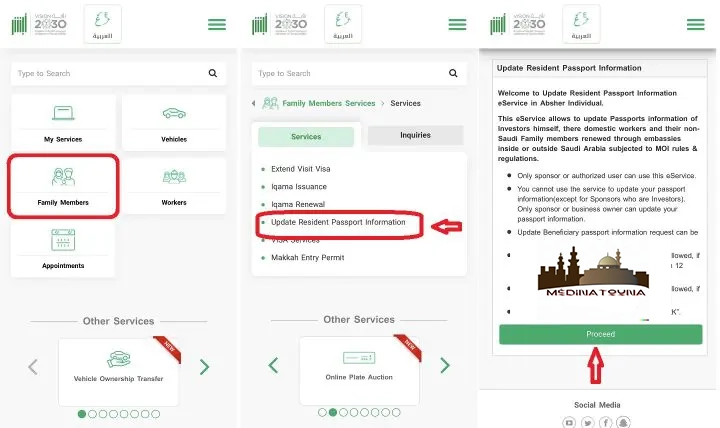
How to update a dependent's passport in Absher
Once logged into your Absher account https://www.absher.sa/
- Click on the "Family Member Services" tab.
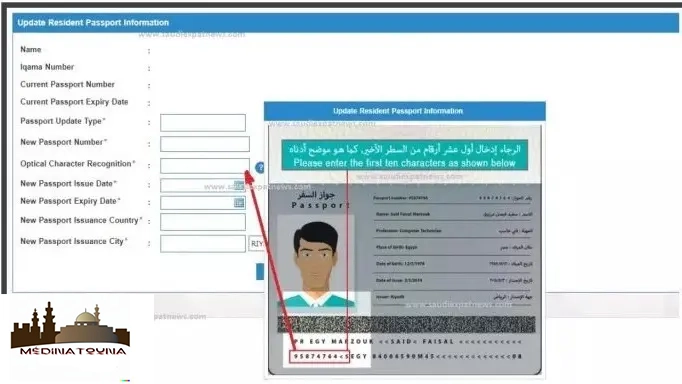
- Select the "Update Resident Passport Information" option.
- Click the "Proceed" button on the next page.
Select the dependent whose passport information needs to be updated on Absher.

Final Step to Perform Naqal Maloomat Online You will need to enter:
- Passport number.
- Passport issue date.
- Passport expiry date.
Once you click the "Update passport information" button, your record will be updated in the Absher system.

- Optical Character Recognition: The first digits of a long code written at the bottom of the main page of your passport.
- New Passport Issuing Country: Your country of origin.
- New Passport Issuance City: The capital of your country of origin.
Naqal Maloomat Update via the Tawasul Service
If the online system is not working and you receive the following message, there is no need to visit the Jawazat office.
«"Sorry! You cannot update your passport information. Please visit Jawazat for more information."»
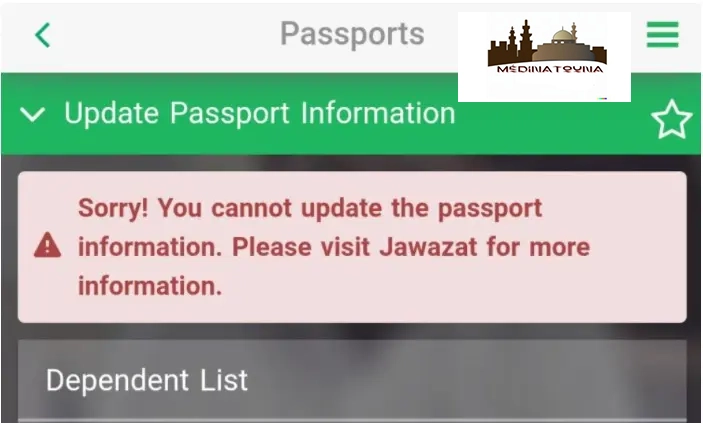
In this case, you can ask Jawazat to update the passport of the person under your care via the Tawasul service.
PDF file for attachment
Create a separate PDF file for each family member with all the documents mentioned below to upload to Absher.
You will need to submit a separate application for each dependent and wait for the information to be updated. Otherwise, the system will display the error message, "Sorry! You cannot submit this application. The description has exceeded the allowed limit."«
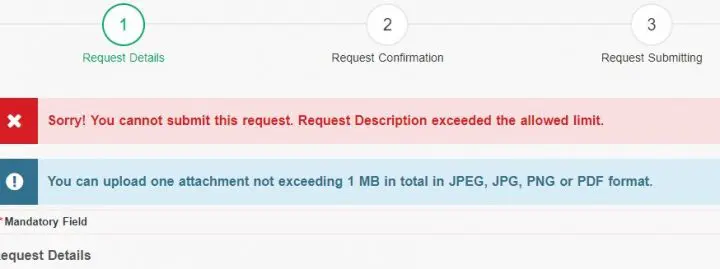
The PDF file size must not exceed 1 MB. If the size is larger, you can use an online PDF compressor.
- Screenshot of the error message
- Copy of the old passport.
- Saudi visa affixed to the passport (if applicable).
- Copy of the new passport.
- Copy of the Iqama of the dependent.
Update your passport information with Tawasul
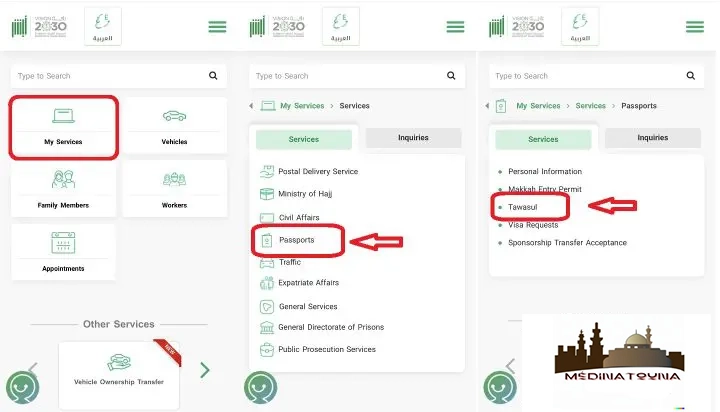
- Log in to your Absher account https://www.absher.sa/.
- Click on the "My Services" tab.
- Select "Passports".
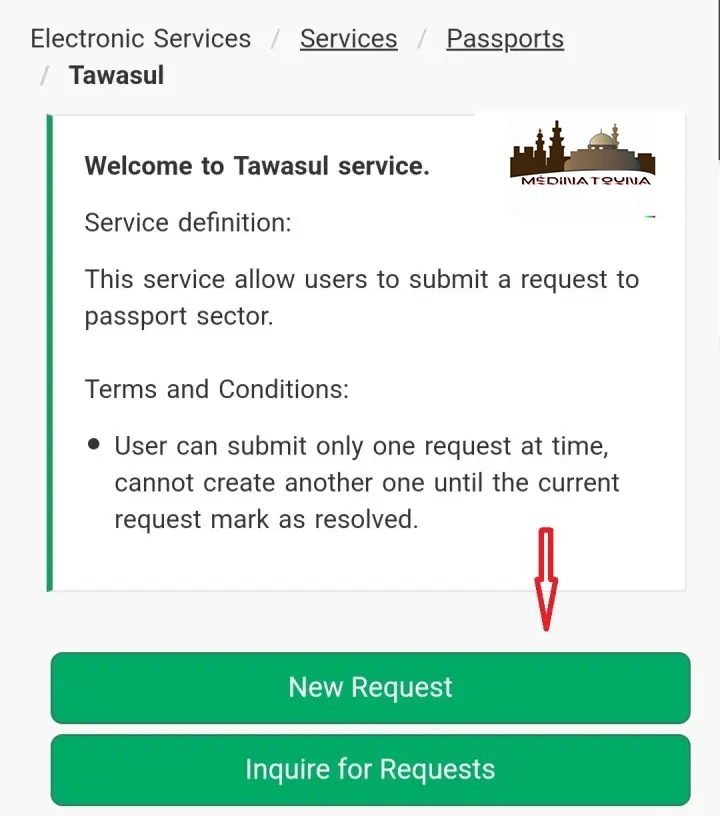
- Click on the "Tawasul" service.
A new page will open where you will need to click on the "New Request" button.
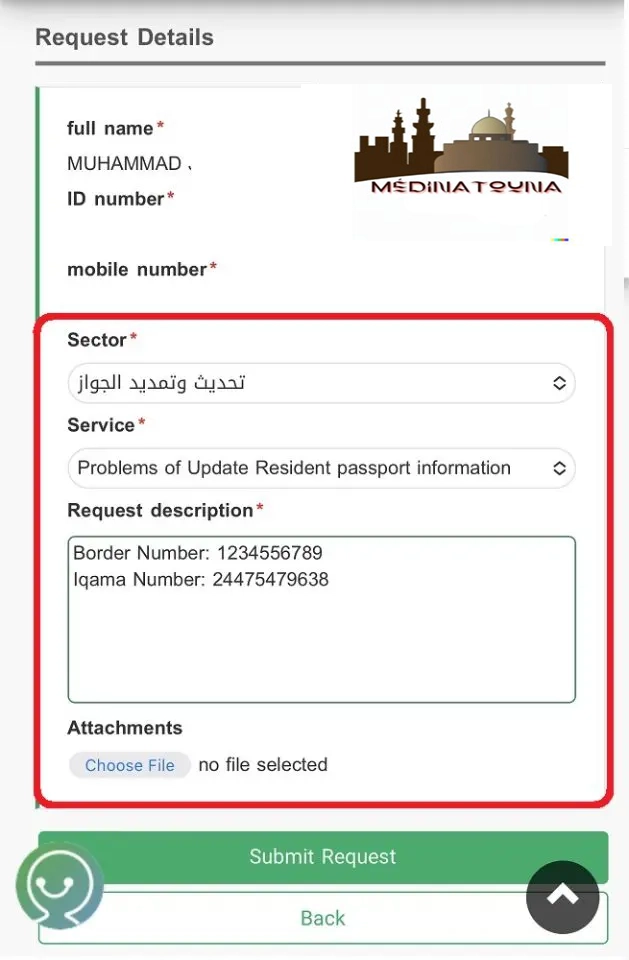
Change the language to Arabic and select the following settings:
- Sector: تحديث وتمديد جواز السفر
- Service: Problems with updating resident passport information.
- Application Description: Write the Iqama number and the Border Number (if available).
- Attachment: Attach the PDF file you created earlier.
- The PDF file name must consist of a single word, without spaces.
- A request for a dependent.
- The Naqal Maloomat passport update will be completed within one day.
Employer-Related Passport Information Update
Your employer has the right to update passport information via the Muqeem system.
Your company's GRO has access to it. I personally asked for the same thing and he did it for me in no time.
Check Naqal Maloomat's Status Online
After processing the passport information update request via Absher or by visiting Jawazat, you should always check the Naqal Maloomat status online.
Check the status of Naqal Maloomat for yourself
To check if the passport information of an expatriate with an Absher account has been successfully updated, follow these steps;
- Log in to your Absher account.
- Click on the "My Services" tab.
- Select the "Requests" service.
- Click on the "Passport" option.
- Select the "Passport Information" service.
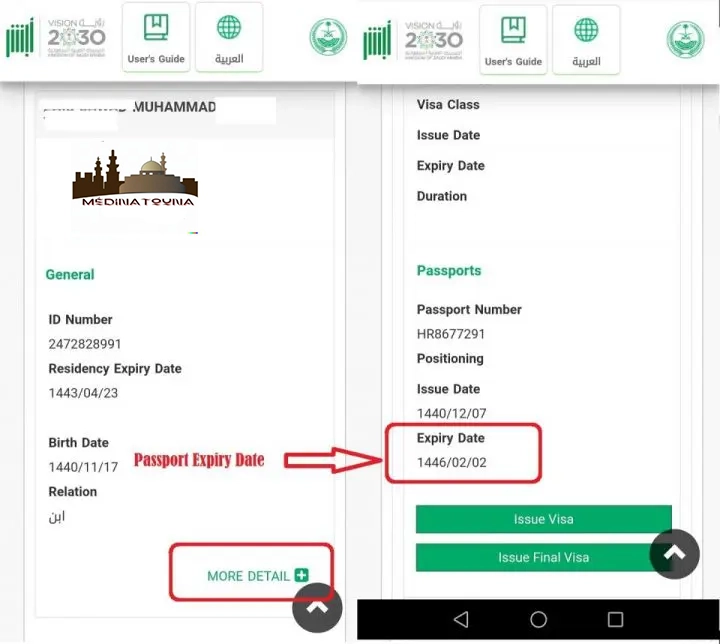
Click the "+" button. If you see the new passport expiry date, it means your passport information has been successfully updated.
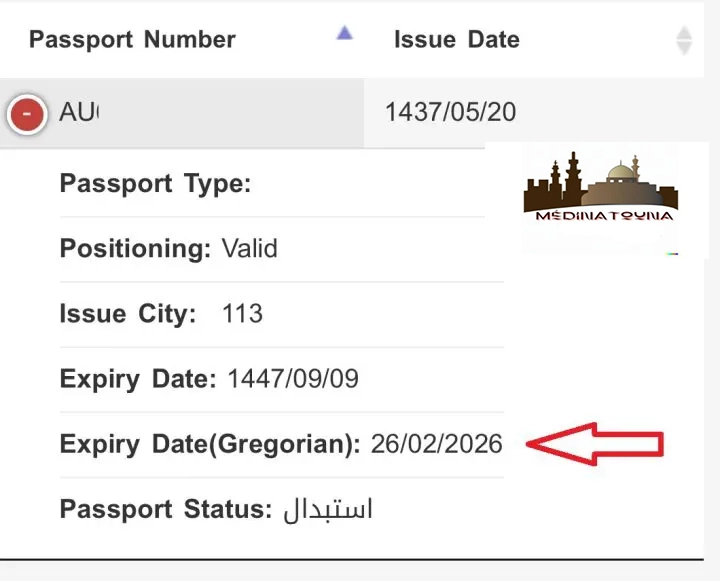
Check the Naqal Maloomat status for dependents
- Log in to your Absher account.
- Click on the "Family Member Services" tab.
- Select the "Visa Services" option.
- Press the "Next" button.
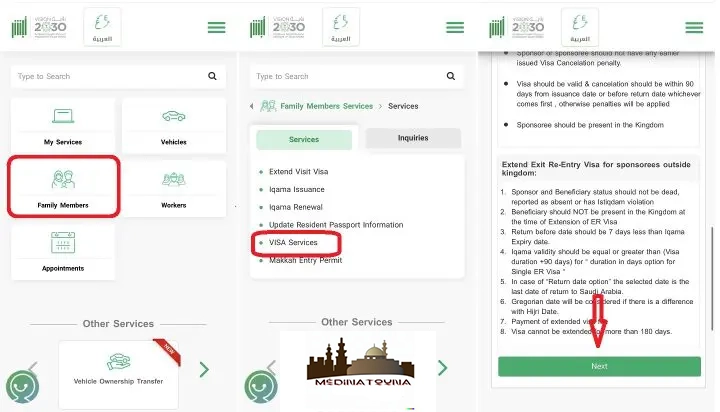
Select the dependent for whom you wish to check the Naqal Maloomat status online by clicking on "More Details".
If you see the new passport expiry date in the details, it means that your dependent's passport information has been successfully updated.
Naqal Maloomat for Visitor Visa Holders
If the passport of a family member holding a visitor visa expires, you must go to Jawazat with the following documents after renewing the passport.
- Go to the Jawazat office.
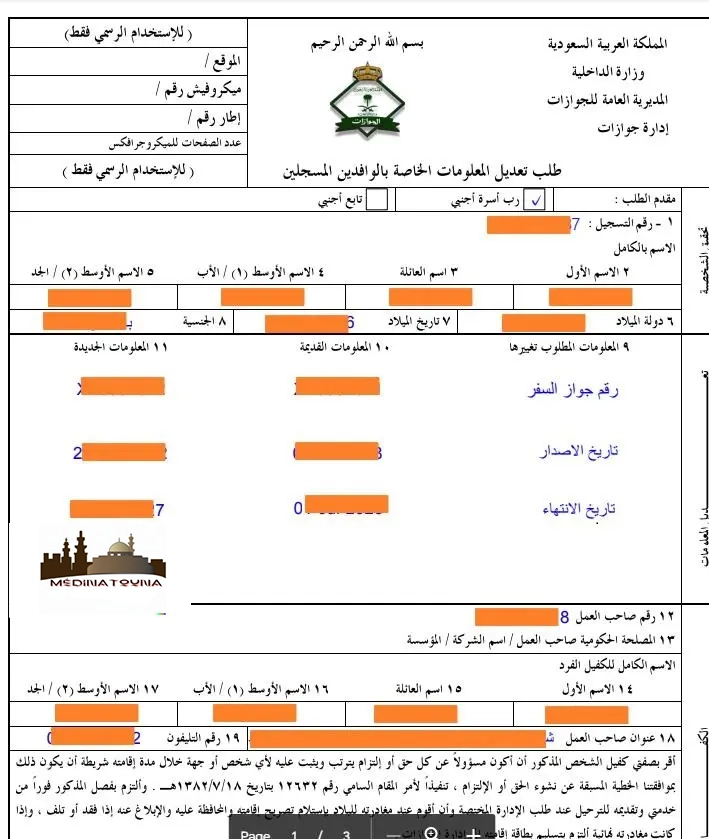
- Jawazat passport update form.
- Copy of the old passport.
- Copy of the new passport.
- Copy of Visa.
- Copy of the sponsor's Iqama.
- Jawazat passport update form: all fields marked in orange must be completed with your relevant information.
Naqal Maloomat from outside Saudi Arabia
If the family member is outside of Saudi Arabia, you will receive the following message when updating passport information.
The resident for whom the passport is to be registered must be within the Kingdom. You cannot perform Naqal Maloomat for an Iqama holder who is outside Saudi Arabia; instead, you can:
- bring them to Saudi Arabia on a new passport.
- ask them to keep their old passport during the trip.
- to obtain the immigration stamp on the new passport.
- Update passport information once they are in Saudi Arabia (same procedure).
To get all the latest news, please join our Telegram group. CLICK HERE