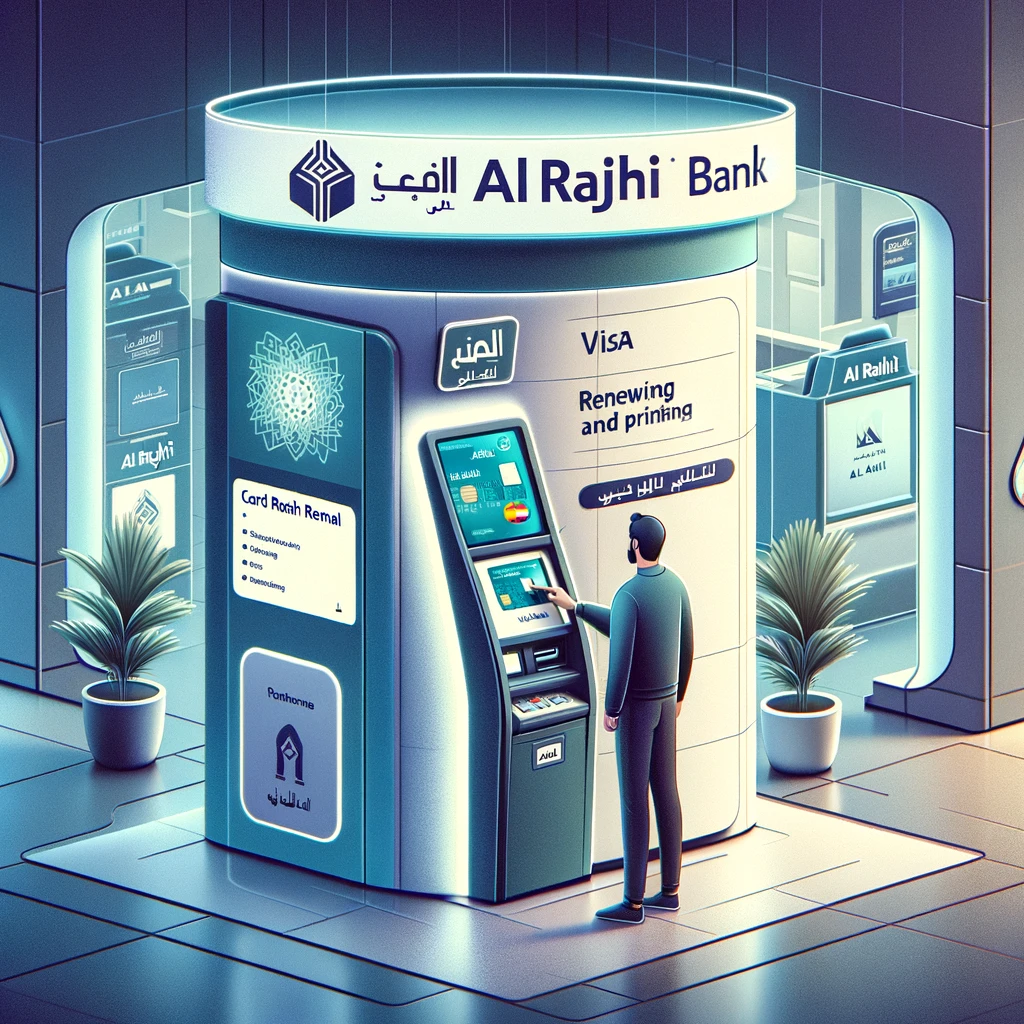
You can now renew and print your Al Rajhi Bank Visa ATM cards at self-service kiosks. These Al Rajhi Self Service kiosks are available throughout the Kingdom. They are very popular because they are easy to use. Customers can complete transactions in minutes without waiting in long lines or interacting with a teller. This allows customers to carry out their transactions at any time of day, which is very convenient. This article explains how to renew and print your Al Rajhi Bank ATM card (Mada card) via a self-service kiosk without going to a bank branch.
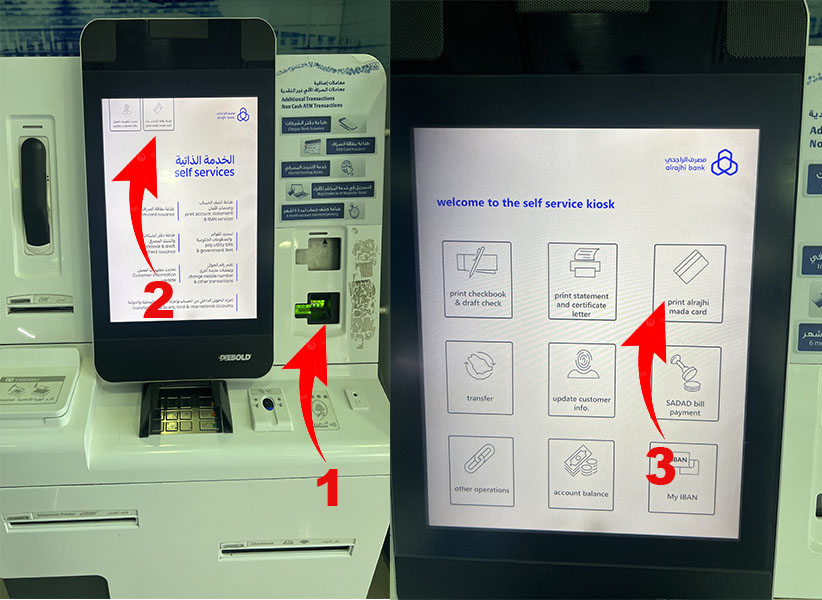
Step-by-step process for renewing your Mada Al Rajhi Bank Visa card via the self-service kiosk. Go to the nearest Al-Rajhi Bank self-service kiosk.
- Insert your ATM card.
- Select "English".
- Enter your ATM PIN code.
- On the home screen, tap the "Print Al Rajhi Mada map" option.
- Print the Al Rajhi Mada card, Renew the Al Rajhi ATM card via Kiosk Press "Renew / Replace the Al Rajhi Mada card".
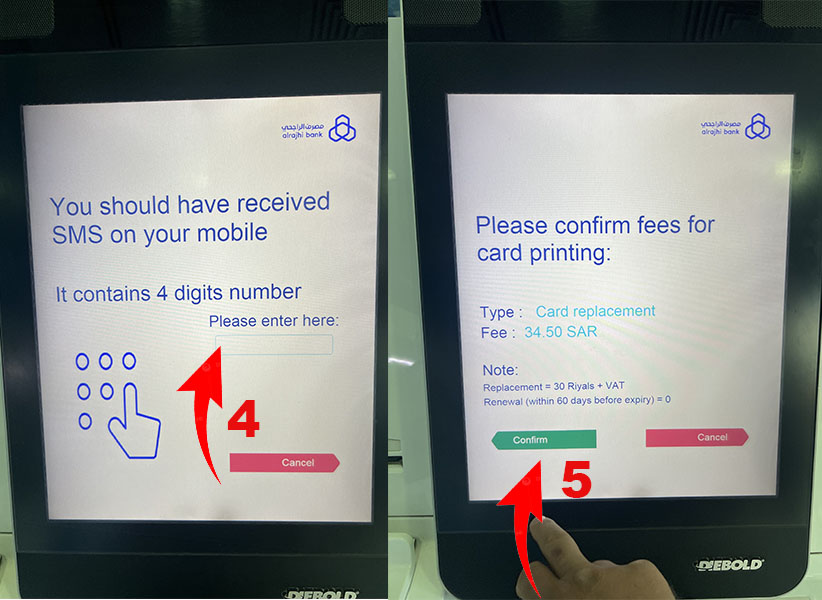
- Enter the four-digit secret code you received via SMS on your registered mobile number. The kiosk will then ask you to remove your old card.
- confirm payment of 35 SAR which corresponds to the card renewal
- Take your old card and wait for the new one to be printed.
- The progress of printing the card will be displayed on the screen as a percentage graph.

Printing the Al Rajhi Mada card at the Kiosk
You need to go to an Al-Rajhi Bank ATM to activate the new card and set up a new PIN code number.
How to activate the new Mada Al Rajhi Bank card via ATM?
- Go to any Al-Rajhi Bank ATM near you and insert your new card.
- Select English.
- Enter your old Mada Card PIN code.
- Click on any option.
- You will be asked to enter a 4-digit secret code received on your registered mobile number via SMS.
- Enter your new PIN. (It must be four digits long.)
- Re-enter your new PIN code.
Success! You will see a message stating: "Your new ATM card is ready to be used with the PIN code you just entered."«
To get all the latest news, please join our Telegram group. CLICK HERE