An exit-entry visa allows foreign nationals residing in Saudi Arabia to transit through the country. An exit-entry visa requires payment of a visa fee to be issued. This page describes the procedure for paying the exit-entry fee online.
Here's how to pay the exit-re-entry visa fees online via your SABB Bank account login:
- Log in to your SABB account.
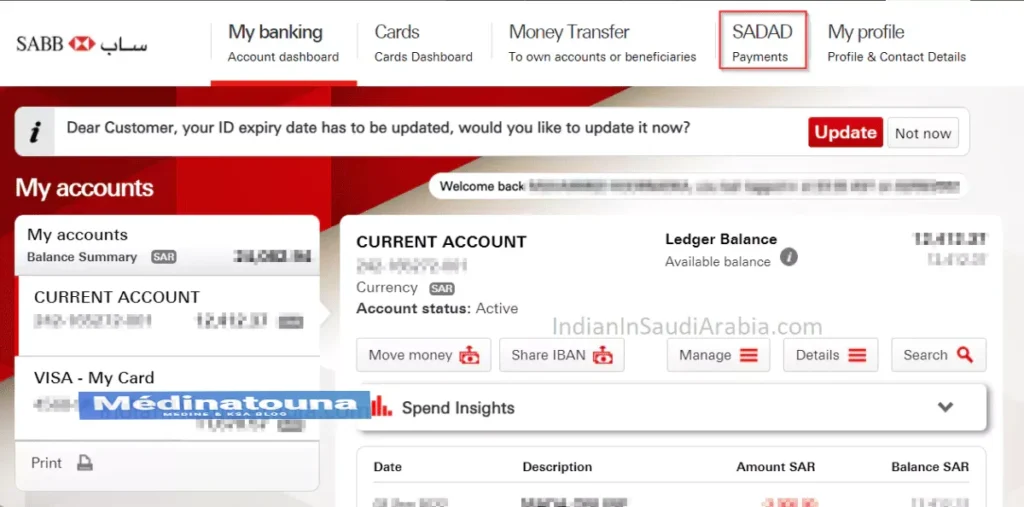
- In the header menu, select SADAD, then Government Payments.
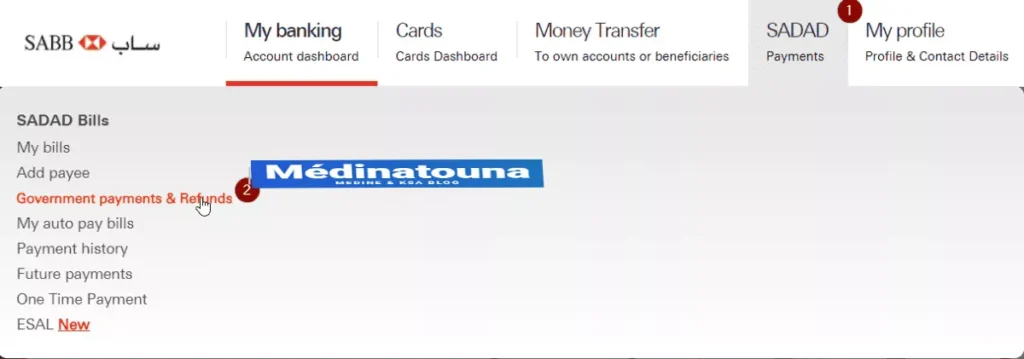
- The Aliens Control Service allows you to pay for services from the Ministry of the Interior and to request funds for previous payments.
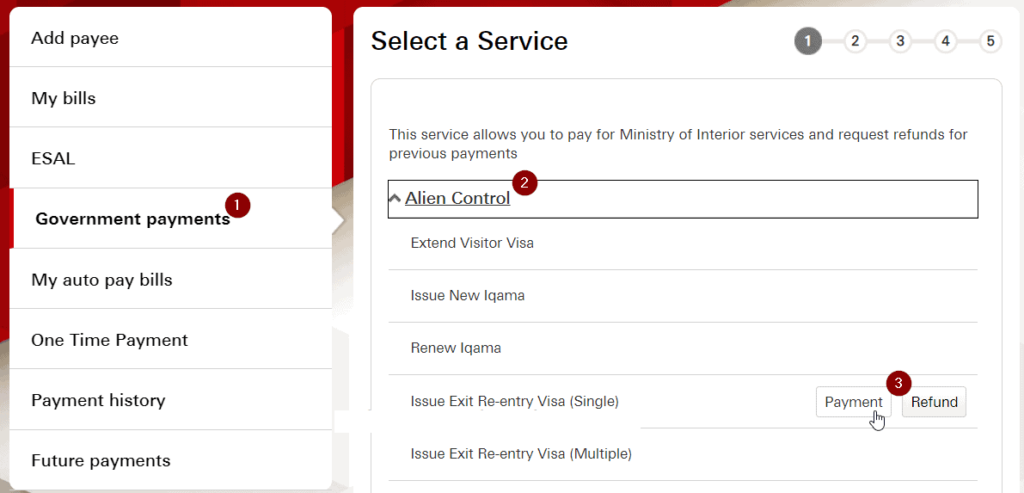
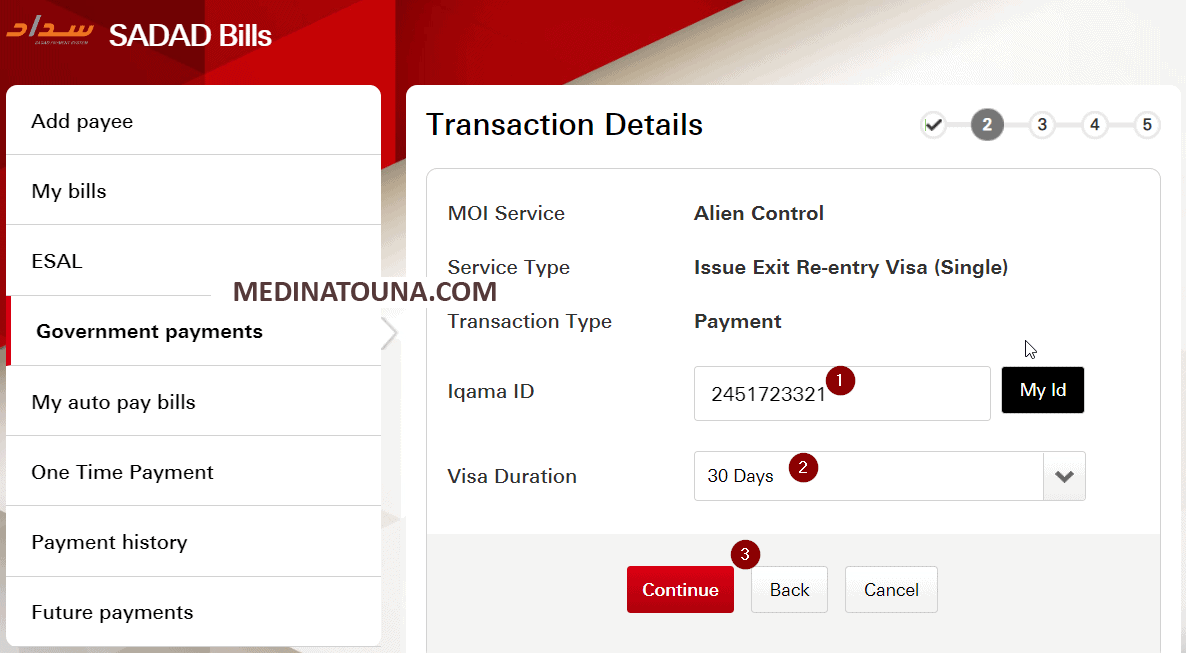
- Enter the Iqama number and the visa duration. Confirm and pay.
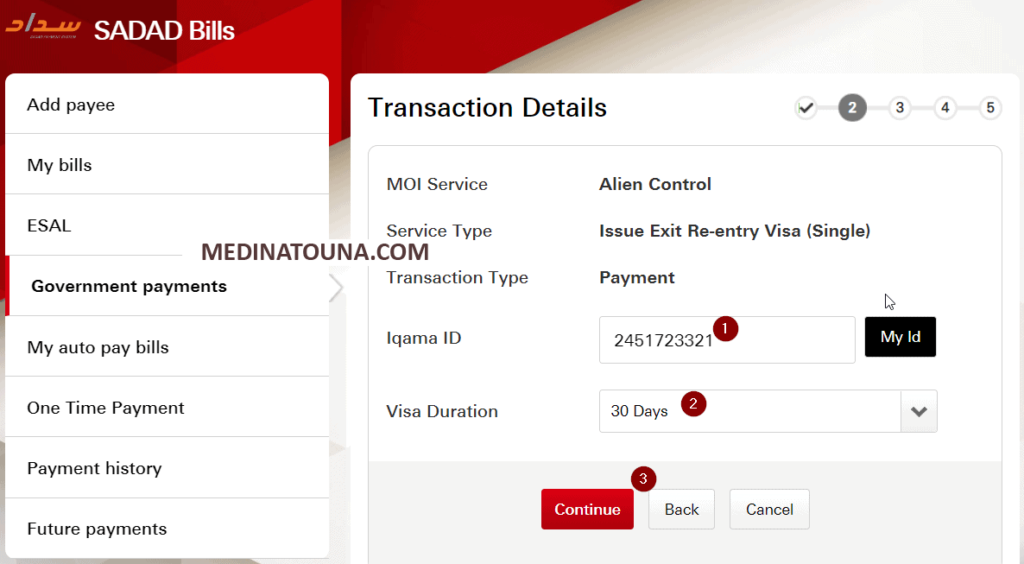
Pay exit/entry visa fees online – Al Rajhi Bank:
- Log in to AlRajhi online banking.
- Select "Payments".
- Choose "Government Payments".
- Select "Residents services".
- Select «Exit-Re-entry Visa (Individual)» or «Exit-Re-entry Visa (Multiple)».
- Select the transaction type as "Payment".
- Enter your "Iqama number".
- Choose the "visa duration" in days.
- Pay the exit-re-entry visa fees.
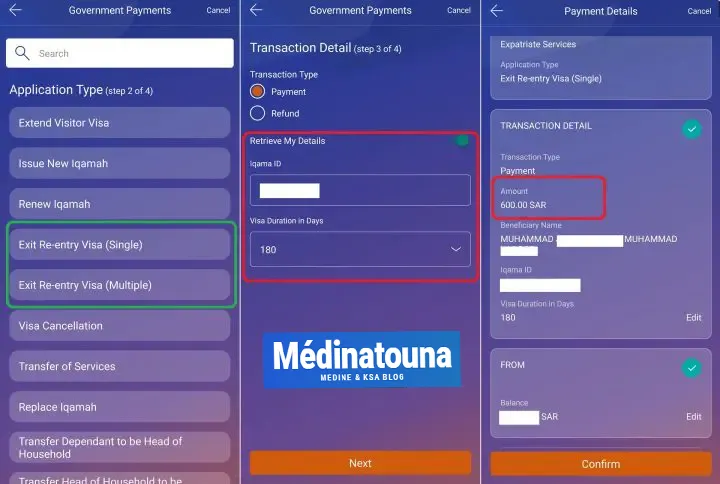
Here's how to pay the exit/entry visa fees at an SNB AlAhli Bank ATM
- Choose your preferred language: English or Arabic.
- Enter the ATM PIN.
- Access the "Main Menu".
- Choose «SADAD and payment of public services».
- Select the "SADAD" option.
- Choose "ME".
- Select "Foreigners Control".
- Choose "Exit-re-entry (individual)" or "Exit-re-entry (multiple)".
- Choose "Pay".
- Enter your Iqama number.
- Click on "press here if the information is correct".
- Select the duration of the exit-re-entry visa.
- Select "Pay exactly" and make the payment.
To get all the latest news, please join our Telegram group. CLICK HEREhttps://t.me/MEDINATOUNA