
To apply for a permanent family visa in Saudi Arabia, each expatriate must pay a fee of 2,000 SAR per family.
Pay with Al Rajhi Bank
To pay for a permanent family visa in Saudi Arabia via Al Rajhi Bank:
Download the app via Play Store Or iTunes.
- Log in to your online banking account.
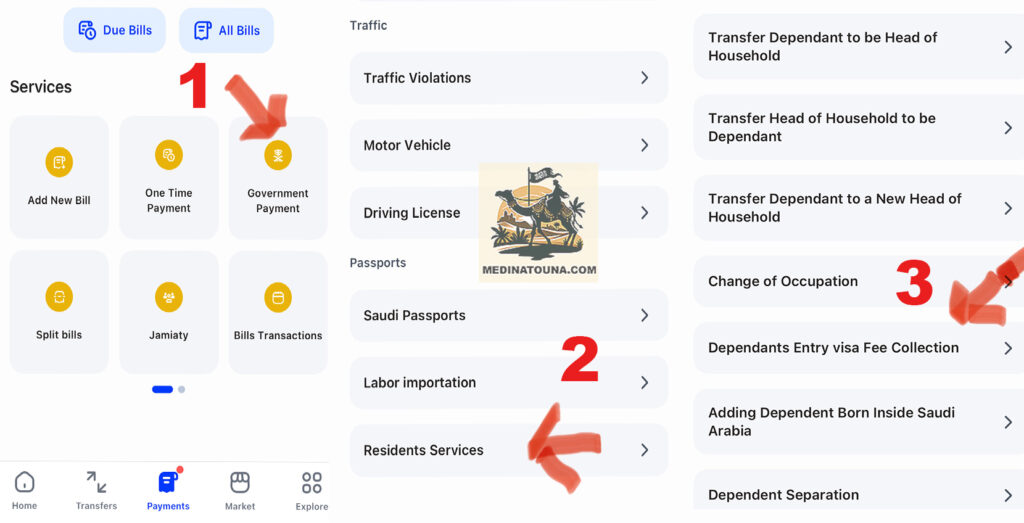
- Select "Payments" at the bottom of your application.
- Press the "Government Payment" button.
- Choose the "Residents Services" option.
- Click on "Dependents Entry Visa Fee Collection"«
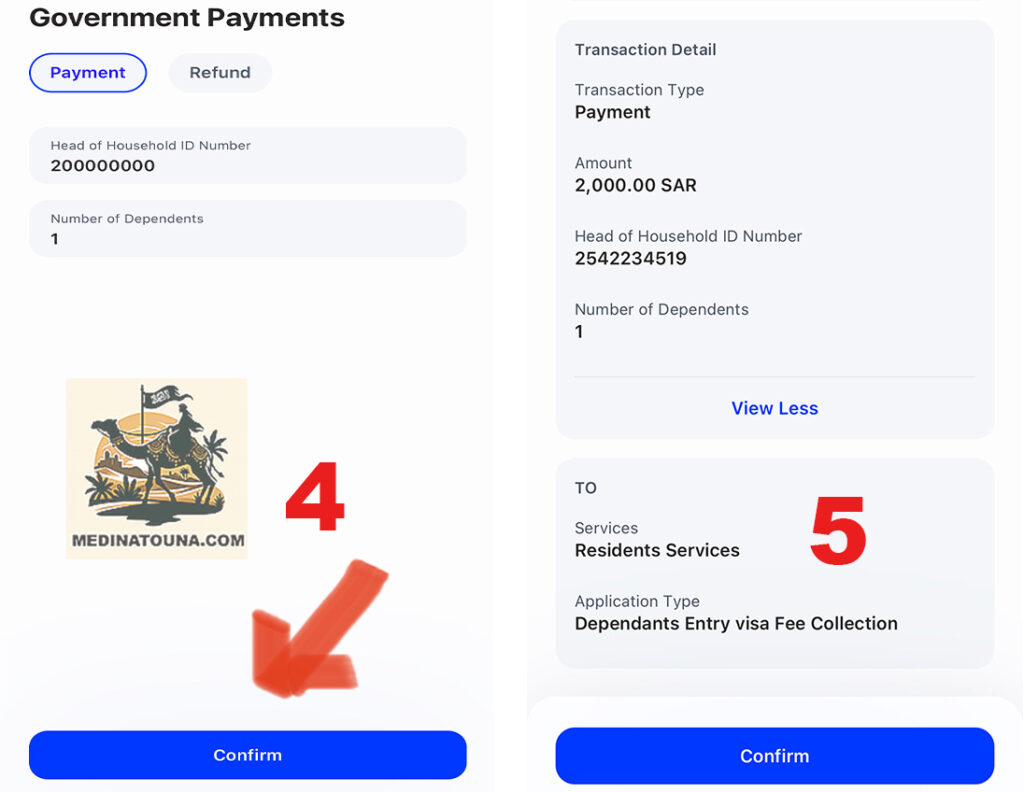
On the next screen:
- Enter your Iqama number.
- Number of visas per family: 1 visa for the whole family.
The Al Rajhi Bank system will retrieve the applicant's details and display the permanent family visa fee of SAR 2,000 per family. Click the confirmation button to pay the fee.
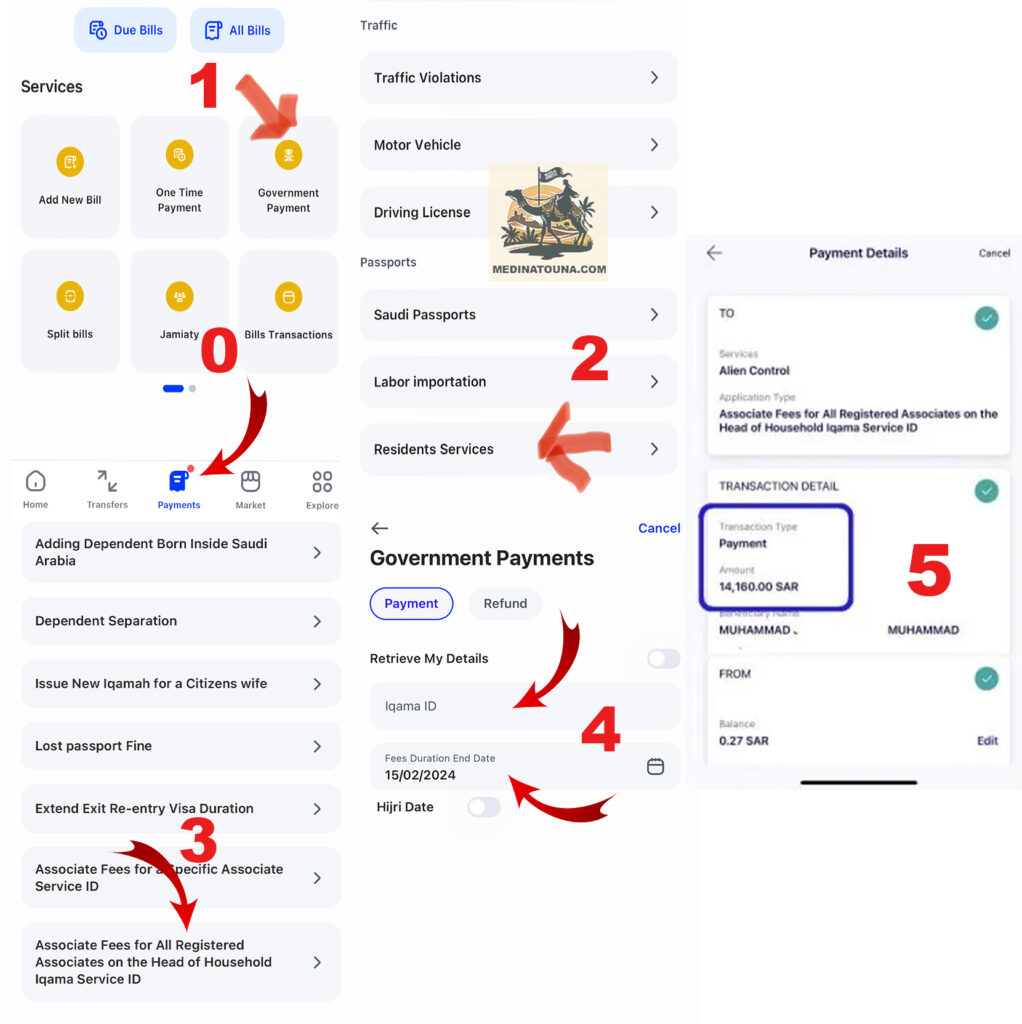
Iqama fees for the whole family: Renewal
If you wish to pay the fees for all family members under your guardianship, select "Associate Fees for All Associates Registered on the Head of Family's Iqama Service ID" and enter the following details;
- Select "Payments" at the bottom of your application.
- Press the "Government Payment" button.
- Choose the "Residents Services" option.
- Click on «associate fee for all registered associate…No3»
- Iqama number of the Head of Family.
- Duration of fees for Iqama renewal: Iqama Expiration Date + 1 year. or
- Pay the fees for dependents for 3 months: Iqama Expiry Date + 3 months.
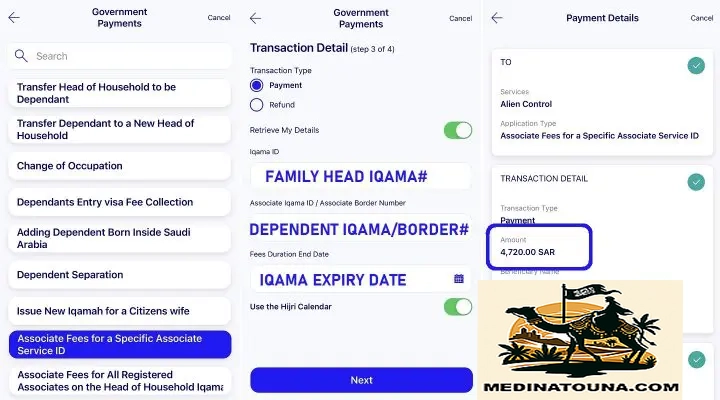
Dependent expenses for a new Iqama
- Select "Payments" at the bottom of your application.
- Press the "Government Payment" button.
- Choose the "Residents Services" option.
Note: There are no dependency fees for the first 3 months after arrival in KSA.
- Click «Associate fees for a specific associate service id»
- Iqama number of the Head of Family.
- Border number or Iqama number of the person in your care.*
- Expiry date of your Iqama.
- Click on Payment
*You will need to make the payment for each child or person in your care separately.
Pay with SNB Bank
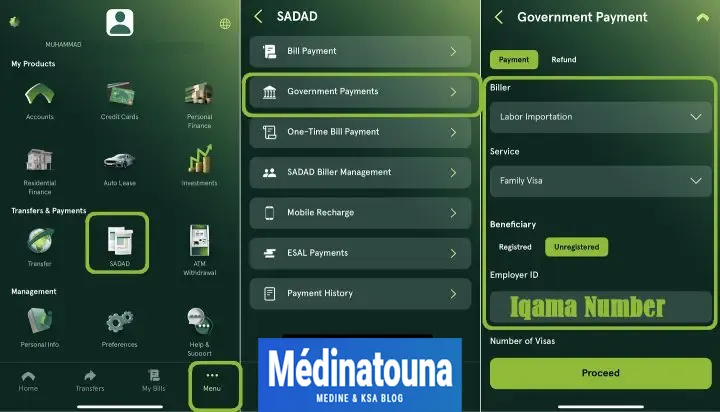
To pay for a permanent family visa in Saudi Arabia via SNB or Al Ahli Bank:
- Download the app via Play Store Or iTunes.
- Log in to your online banking account.
- Click on "Menu".
- Select «SADAD».
- Click on "Government Payments".
- Invoicing: Importation of labor.
- Service: Family Visa.
- Select "Not registered".
- Employer identifier: Iqama number.
- Number of visas: 1 visa for the whole family.
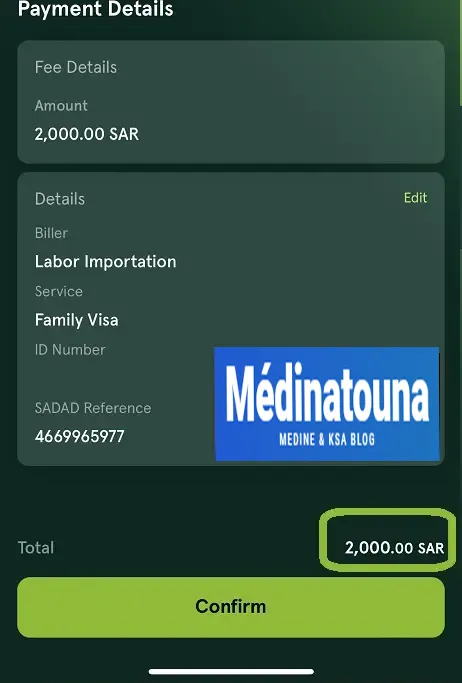
The SNB Bank system will retrieve the applicant's details and display the permanent family visa fee of SAR 2,000 per family. Click the confirmation button to pay the fee.
To get all the latest news, please join our Telegram group. CLICK HERE
Check the payment status. Once the payment has been made, you can check the available funds under Iqama. The amount should appear under "Import of Labor".
Follow this link to join the WhatsApp Group for MEN only : https://chat.whatsapp.com/LgMiz0D2iAYKANJOsk5vQw