
Introduction:
The digital age has transformed many administrative procedures, making them more accessible and faster. Among them, opening and activating an Absher account with fingerprinting can now be done online using the Nafath app. This guide will explain how to complete these steps from the comfort of your home, without having to go to a fingerprinting machine.
Step 1: Download the Nafath App
- Start by downloading the Nafath app on your smartphone. It is available on iOS and Android platforms.
- Once the application is installed, create an account or log in if you already have one.
Step 2: Open a new Absher Account
You can click on the link below to learn about all the steps to open an Absher account
Step 3: Open the Nafath app
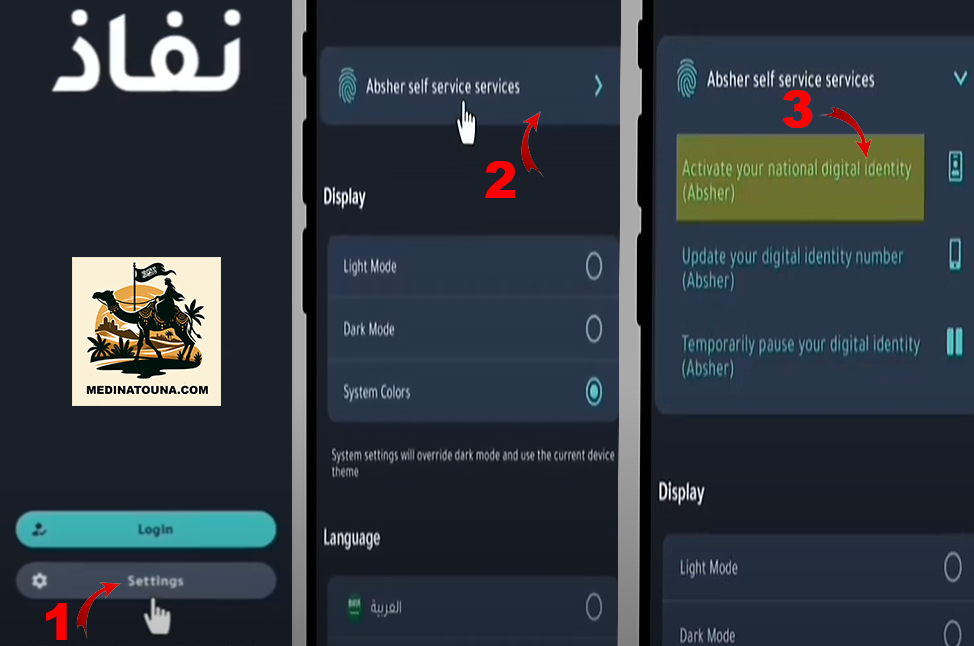
- Open the Nafath app and click on "settings"«
- Click on "Absher self service" at the top«
- Click on «activate tour national digital identity»
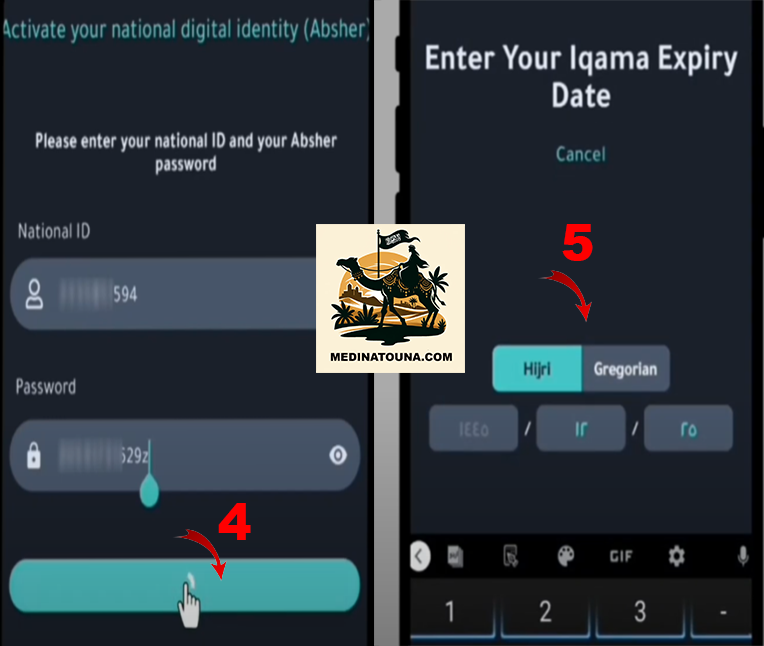
- Next, enter the login details you created earlier on Absher.
- Enter the expiry date of your iqama
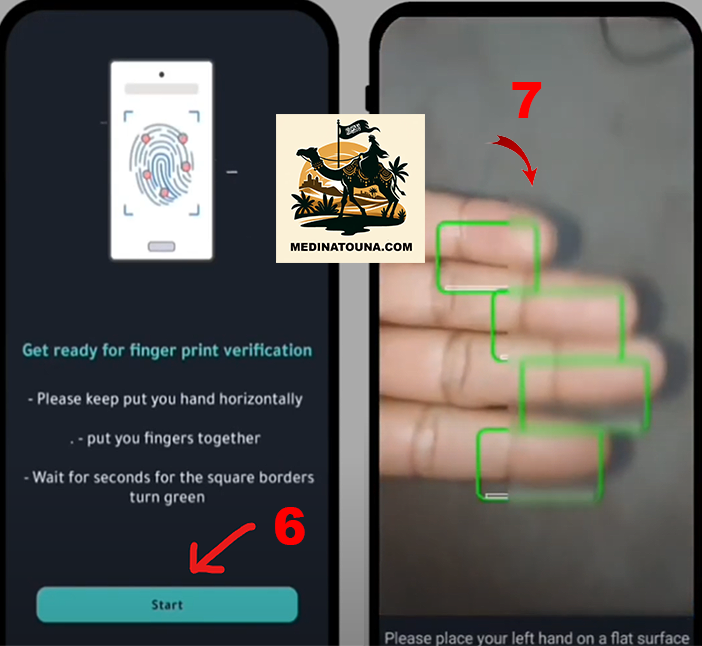
- «"On the next screen, please carefully follow the instructions for capturing your fingerprints.
- Click on Start
- Place your left hand on a flat surface, aligning your fingers with the indicated green rectangles. If the procedure is not successful on the first try, feel free to repeat the operation several times.»
- Validation can occur automatically without fingerprinting. Log back into your Absher account to check if your account has been validated.
Once the operation is successful, you will receive a message confirming that your Absher account is activated.

To get all the latest news, please join our Telegram group. CLICK HERE