

Transfer ownership of the STC SIM online
To transfer ownership of an STC SIM card online in Saudi Arabia, the current SIM card owner must perform the following actions:
- Install the STC application via PlayStore or iTunes.
- Log in to your account. The owner's name will appear in the top left corner.
- Click on the "More" button.
- Select the "Number Management" option.
- Select the STC number you wish to transfer.
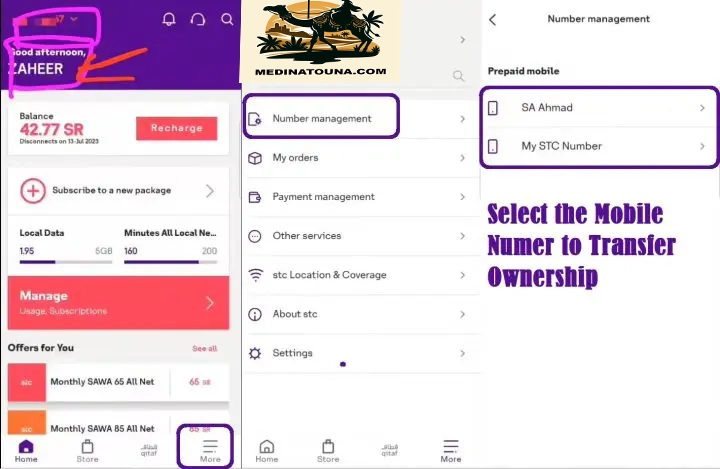
On the next page,
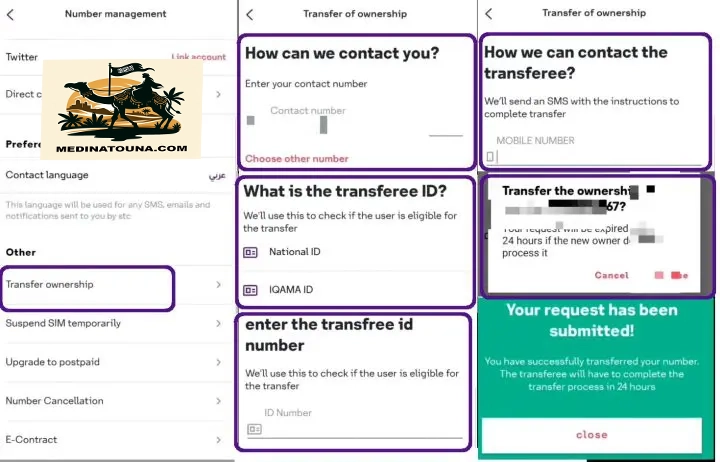
- Select the "Transfer of Ownership" option.
- Enter your contact number.
- Select the Iqama ID.
- Enter the Iqama number.
- Enter the recipient's mobile number.
- Confirm the terms and conditions.
You have successfully submitted the request to transfer ownership of your STC SIM card to another person. The new owner must complete the process within 24 hours.
Accept SIM STC's request for transfer of ownership
To accept the request to transfer ownership of the STC SIM card to your name, you must:
- Install the STC application via PlayStore or iTunes.
- Click on "mySTC Store".
- Select the Menu option in the upper right corner.
- Click on the "Transfer of Ownership" option.
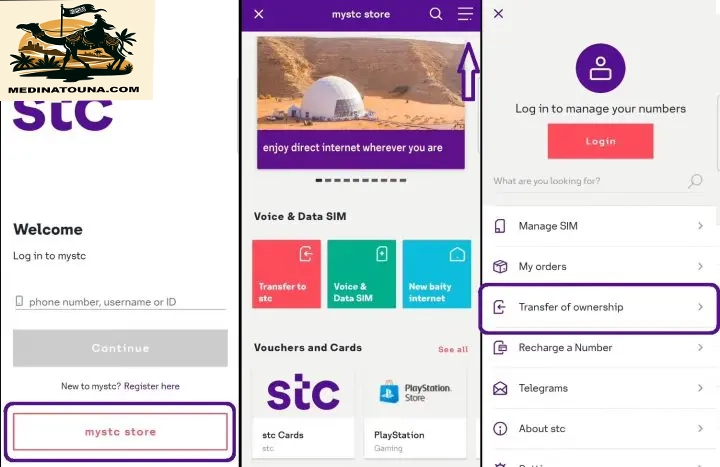
On the next page,
- Select the "Iqama ID" option.
- Select your nationality.
- Enter the Iqama number.
- Enter your national address registered in Saudi Arabia.
- Validate the transfer of ownership using the Nafath app.
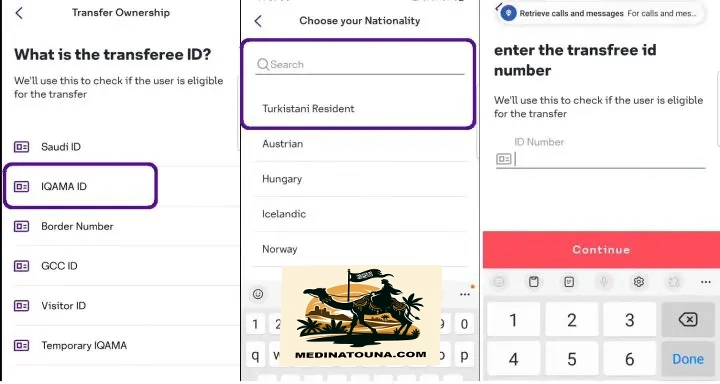
That's it; you've successfully transferred ownership of the STC SIM card from one number to another without visiting a branch. You can check if the SIM card has been registered to your Iqama.
Transfer ownership by visiting an STC branch
The conventional process for transferring ownership of an STC SIM card from one person to another requires both the current and new SIM card owners to visit an STC branch with:
- ID Iqama.
- Mobile number registered with Absher.
To get all the latest news and offers For job opportunities, please join us on our Telegram group. CLICK HERE