
You can register your national address either through your Absher account or via Saudi Post. Here is the procedure for each:
How do I print proof of my Saudi national address?
You need the following information to register your Saudi national address:
- Building number.
- Name of the district.
- Your neighborhood's postal code. (For Médine, it's 42316)
To register your national address with Absher:
- Log in to your Absher account https://www.absher.sa/
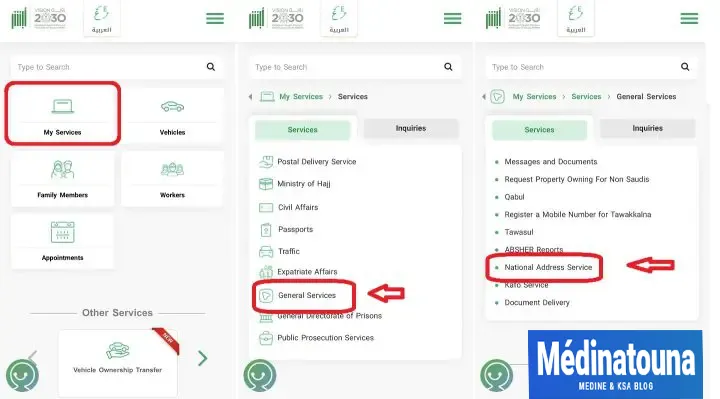
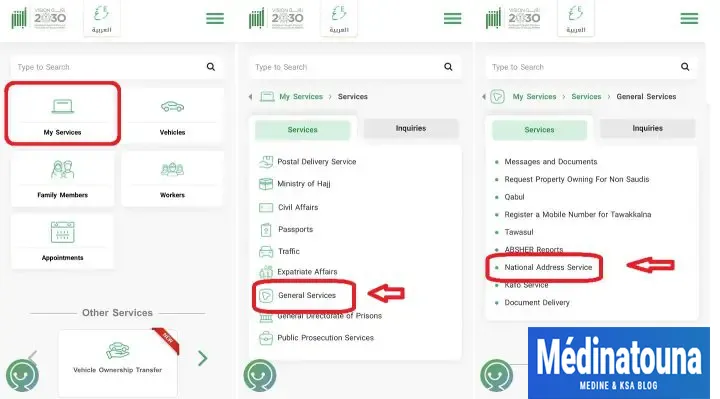
- Click on "My Services".
- Select "General Services".
- Choose "National Address Service".
- Print the national address with Absher.
On the next page;
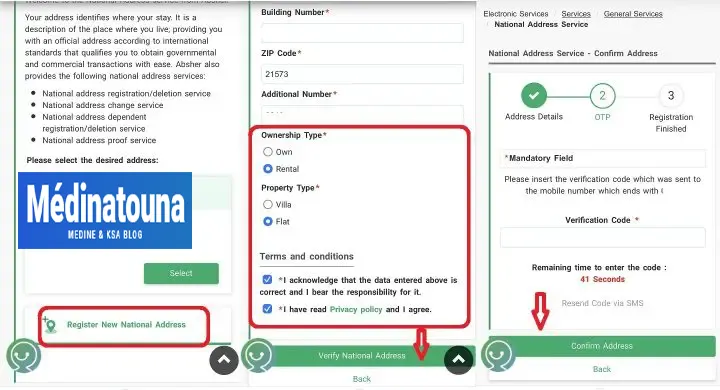
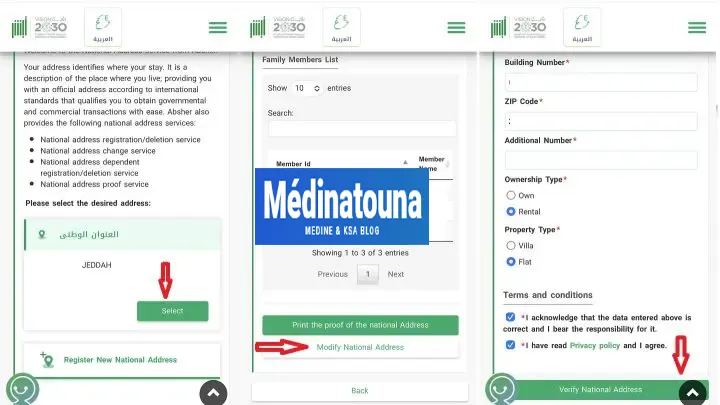
- Select "Register a new national address".
- Enter your address details.
- Click on "Verify national address".
- Enter the OTP code (SMS) received on your mobile phone.
- Press the "Confirm address" button.
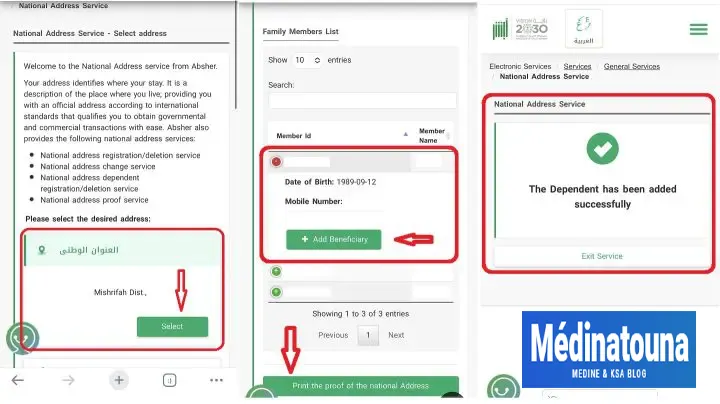
National address registration for dependents
- Log in to your Absher account https://www.absher.sa/
- Click on "My Services".
- Select "General Services".
- Choose "National Address Service".
- Click the "Select" button.
- Select the dependent by clicking the "+" button.
- Enter the OTP code (SMS) received on your mobile phone.
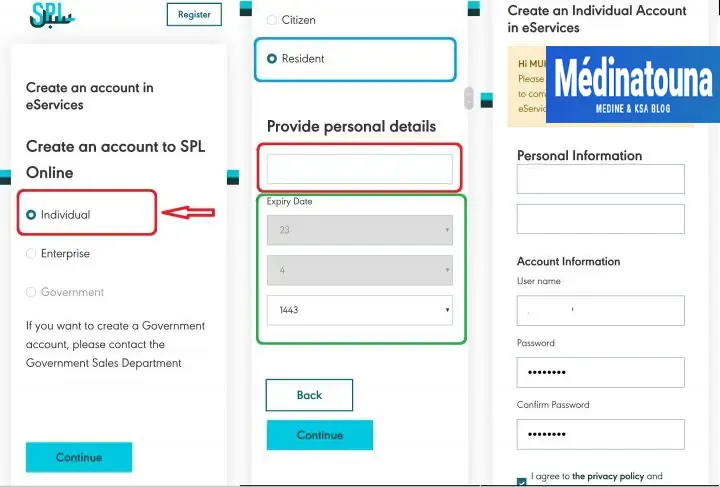
To register your national address through the Saudi Post service;
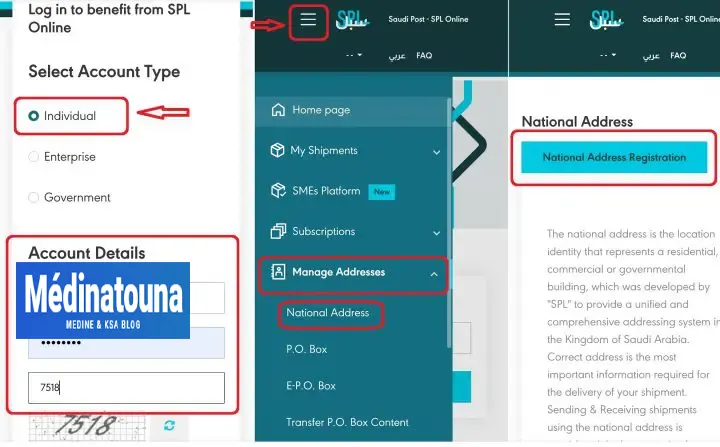
- Open the website https://eservices.splonline.com.sa/en/Registration/
- Click on "Individual" and continue.
- Select "Resident".
- Enter the "Iqama Number".
- Select the expiry date of the Iqama.
- Enter your personal information.
- Accept the terms and conditions.
- Click on "Register".
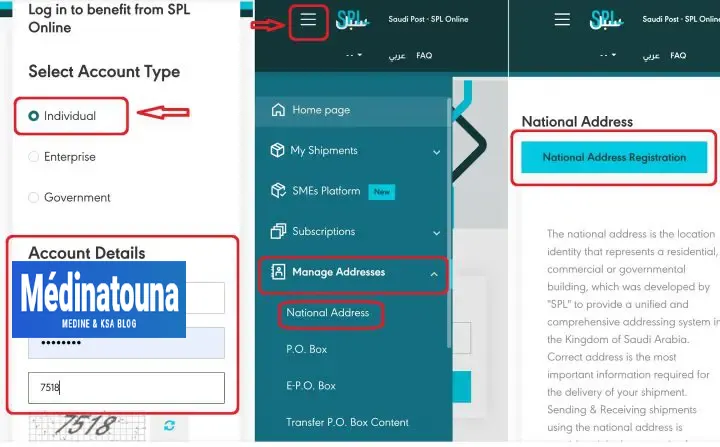
Now check your mobile phone number for national address registration, then;
- Log in to your account https://eservices.splonline.com.sa/en/Account/Login
- Click on the "menu" icon in the upper left corner.
- Tap the "Manage addresses" option.
- Select "National Address".
- On the next page, click on "Register National Address".
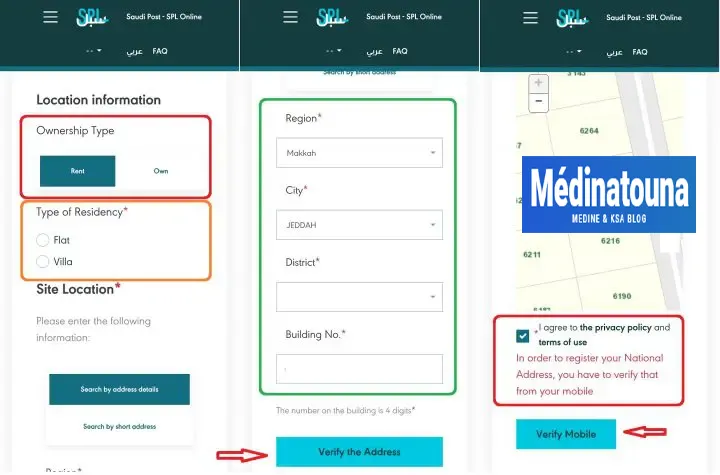
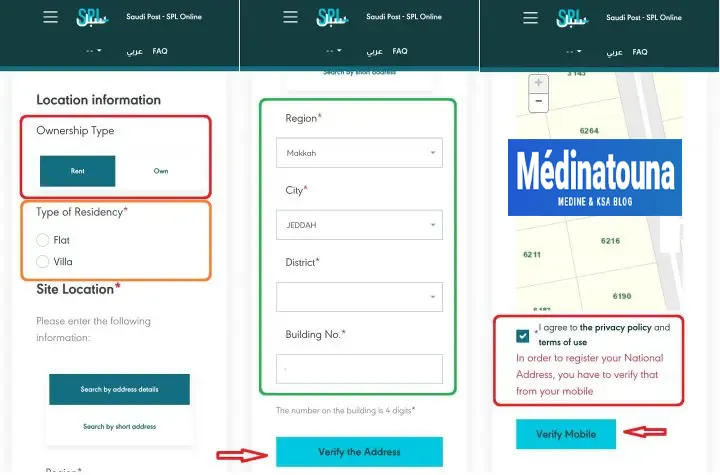
At this stage, you must enter your Saudi address to complete the national address registration;
- Location information: Rental.
- Type of residence: Villa or Apartment.
- Enter the region, city, district and building number.
- Click on "Verify address".
- Confirm the building number from the SPL map.
- Accept the terms and conditions.
- Click on "Check mobile phone".
Verify your identity using the OTP code sent to your mobile phone, and that's it! You have successfully registered your national address in Saudi Arabia.
Updating/Changing a national address in KSA
If you have moved elsewhere, you can easily update or change your national address via the Absher or SPL website. To do so;
- Absher Account Log in to your Absher account https://www.absher.sa/
- Click on "My Services".
- Select "General Services".
- Choose "National Address Service".
- Click the "Select" button.
- Tap on "Edit national address".
- Enter the new address. Click on "Verify national address".
Saudi Post website. You can also modify or change your national address via the SPL website. To do so;
- Log in to your account https://eservices.splonline.com.sa/en/Account/Login
- Click on the "menu" icon in the upper left corner.
- Tap the "Manage addresses" option.
- Select "National Address".
- On the next page, click on "Register National Address".
At this stage, you must enter your new Saudi address to update the national address;
Congratulations, you have successfully updated/changed your National Address Registration. There is no need to update the national address separately in Absher.
How to print proof of your address
Many banks and insurance companies require you to verify or print proof of your registered national address in Saudi Arabia. Here's how:
To check and print your national address via Absher;
- Log in to your Absher account at the address https://www.absher.sa/
- Click on "My services".
- Select «General Services».
- Choose "National Address Service".
- Print the national address with Absher.
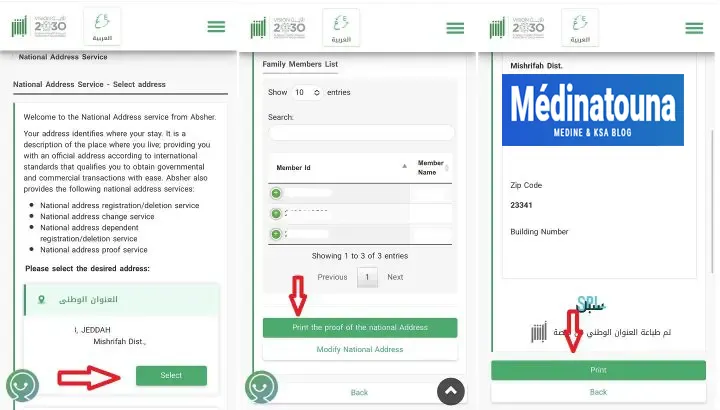
On the next page, the system will show you the national address.
- Click the "Select" button.
- Press the button: Print proof of national address.
- Click the "Print" button.