Sometimes you need to schedule an appointment with Istiqdam to apply for a permanent family visa, a family visit visa, or a domestic worker visa in Saudi Arabia. Here's how to do it.
Book an Istiqdam appointment
First, log in to your Absher account and click on the "Appointment" tab. https://www.absher.sa/
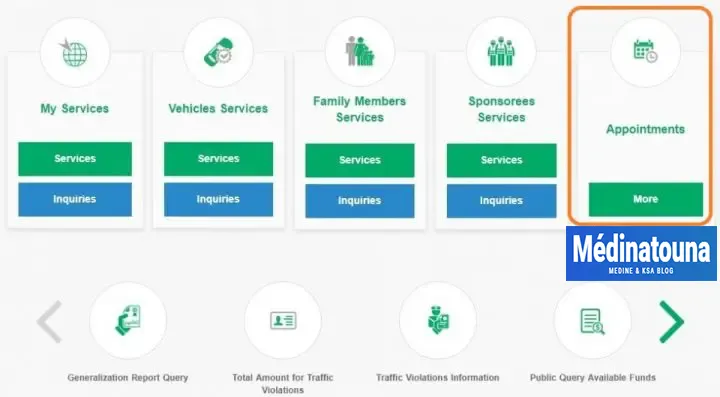
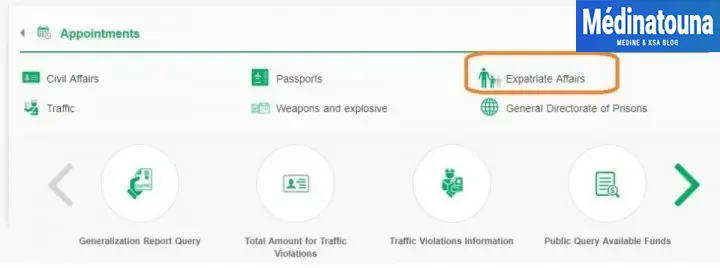
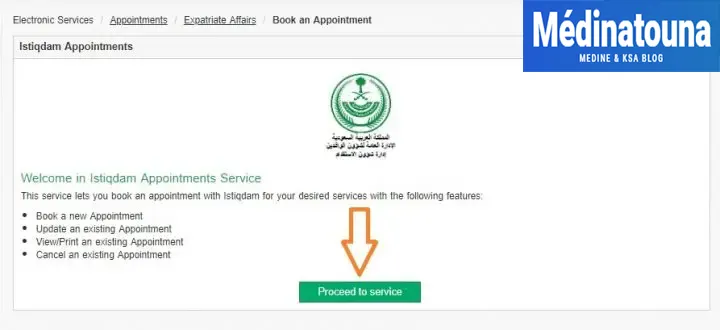
On the next screen, select the "Expatriate Affairs" option. Click the "Continue to Service" button.
On the next screen, click on "Proceed to Service"«
You must select the reason for requesting an Istiqdam appointment.
طلب فتح ملف إستقدام = Visa application for domestic worker.
Application for permanent family visa.
Application for family visit visa.
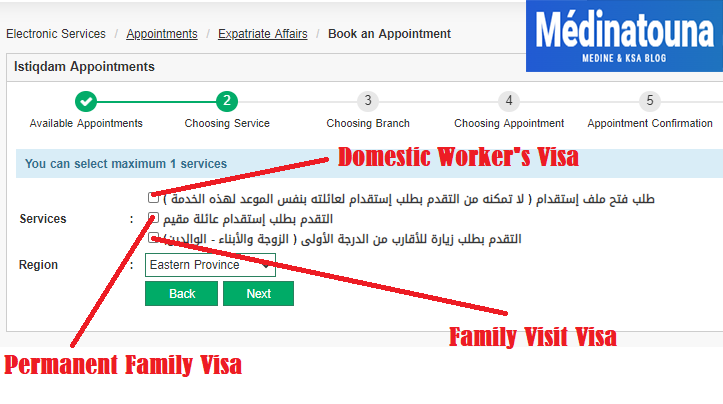
Region: Select the region.

Now, your Absher account will show you all available Istiqdam appointments in green. Select the appointment that suits you best.
Green: Appointments available.
Red: Appointments already booked.

After selecting your Istiqdam appointment time, the system will direct you to the confirmation page where the time, date, location on the map, and all requirements for the family visa or domestic worker visa are displayed. You must confirm the appointment details.
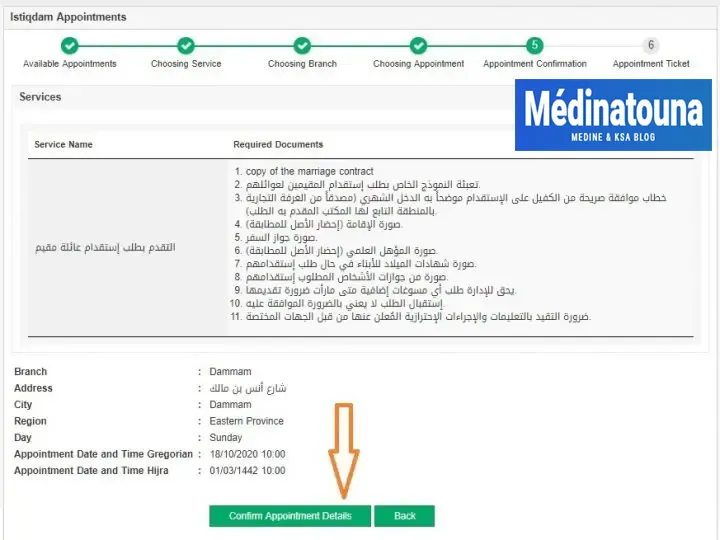
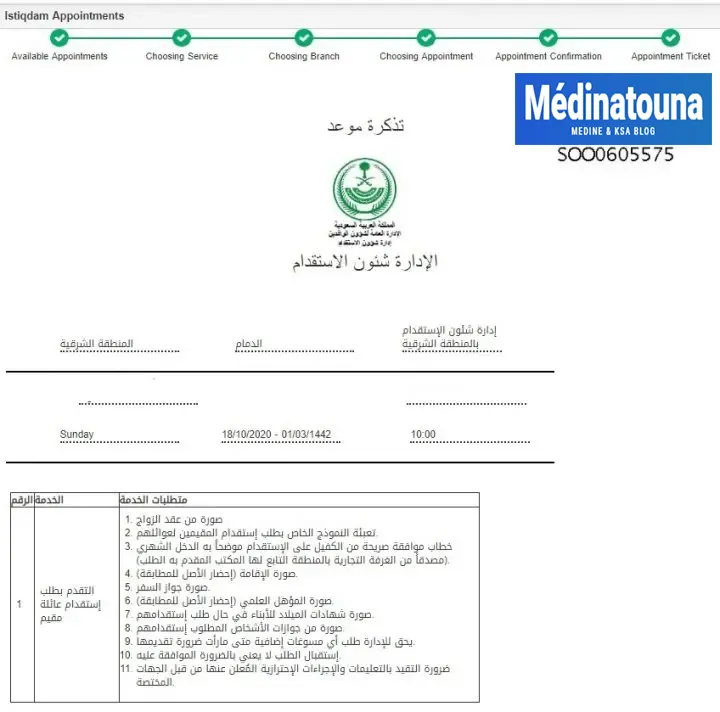
Finally, you will see a confirmation page. It is best to print the page and bring it with you on the day of your appointment.
Cancel an Istiqdam appointment
If you try to book another appointment after the first appointment has been confirmed, the following message appears.
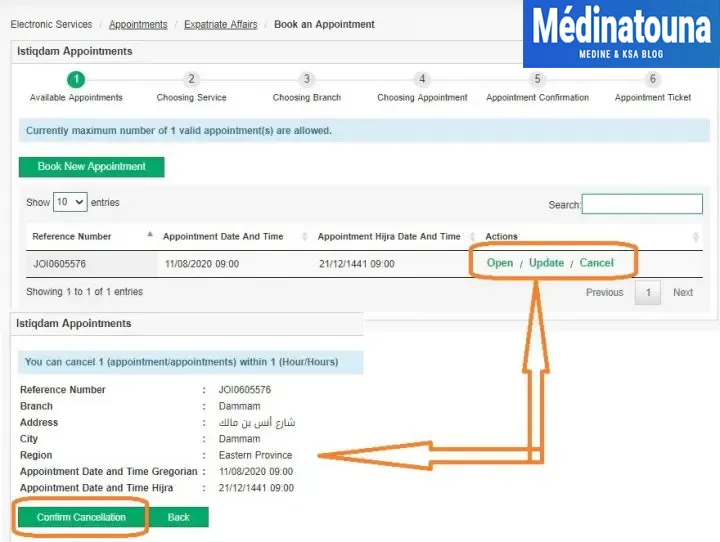
You have reached the maximum number of valid appointments per person. In this case, you must either cancel or reschedule your current appointment. To cancel your current Istiqdam appointment;
To cancel your current Istiqdam appointment, follow these steps:
- Reconnect to your Absher account.
- Go to the "Appointments" tab.
- Find the Istiqdam appointment you wish to cancel. Appointments already booked will appear in red.
- Click on the appointment you wish to cancel.
- On the appointment confirmation page, look for the cancellation option. This may be a specific button or a link.
- Click on the cancellation option and follow the on-screen instructions to confirm the cancellation of the appointment.
- Once the cancellation is confirmed, be sure to take note of any reference or cancellation confirmation provided by the system.
Please note that cancellation policies may vary, and it is important to adhere to the specific terms and conditions associated with your Istiqdam appointment. Be sure to consider any potential consequences of cancellation, such as additional fees or a longer waiting period for a new appointment.
Feel free to contact Istiqdam's support service or visit their official website for further information and specific instructions on cancelling appointments.
To get the latest news, you can join our Our YouTube Channel ✅, our Telegram channel ☑️.