If you are unfairly accused of a traffic violation in Saudi Arabia, you can contest, file a dispute, or make a claim through Absher. Here's how.
What should you do before contesting a traffic violation?
Before filing a complaint against a traffic violation in Saudi Arabia, make sure of the following points:
Check the date and time of the traffic violation to make sure you were driving at that time.
Check the location of the traffic ticket to make sure you were in the area where the offence took place.
If the offence is related to the use of a telephone, check the call logs for the date and time.
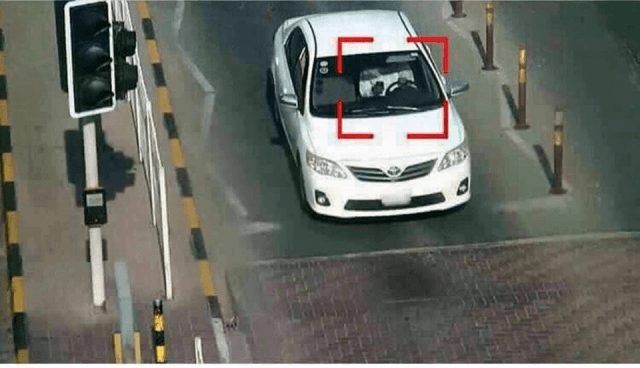
Finally, check the photo of the traffic violation available on the Absher account.
If your dispute claim is rejected 5 times in a year, you can no longer contest the traffic violation for the same year.
If, after checking all of this, you are convinced that the traffic violation is a mistake, you can proceed to contest the traffic violation.
How to contest a traffic violation?
I recommend using your desktop or laptop computer to contest a traffic violation, as you cannot see the photo on a mobile phone.
Log in to your Absher account at the address https://www.absher.sa/
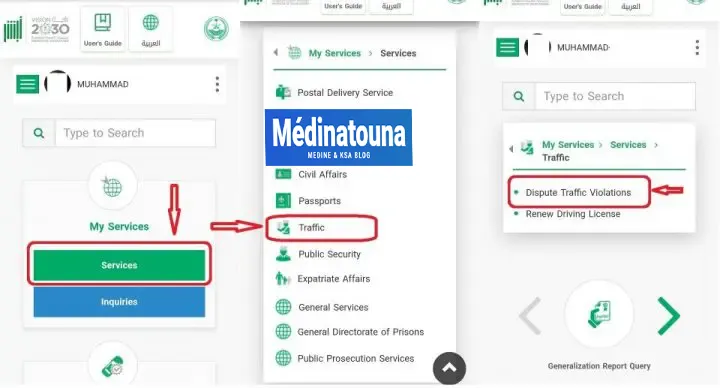
Click on "Services" under "My services".
Select "Traffic" from the available options.
Click on the "Dispute traffic violation" button in Absher.
Click on the "dispute violation" button after reading the following terms and conditions:
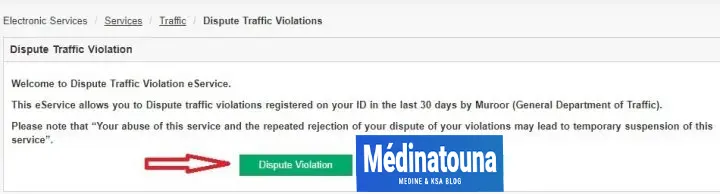
You can only contest a traffic fine within 30 days of the violation. Abuse of this service and repeated rejection of appeals may result in temporary suspension of this service.
Find the traffic violation you wish to contest, then click the "Open" button.
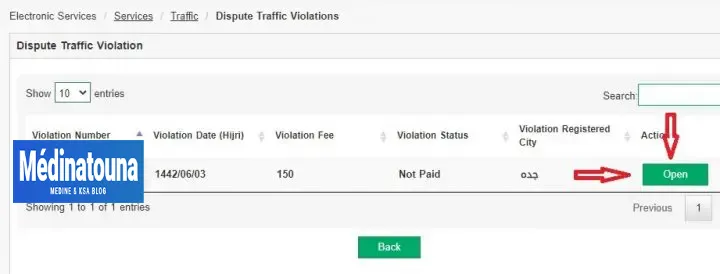
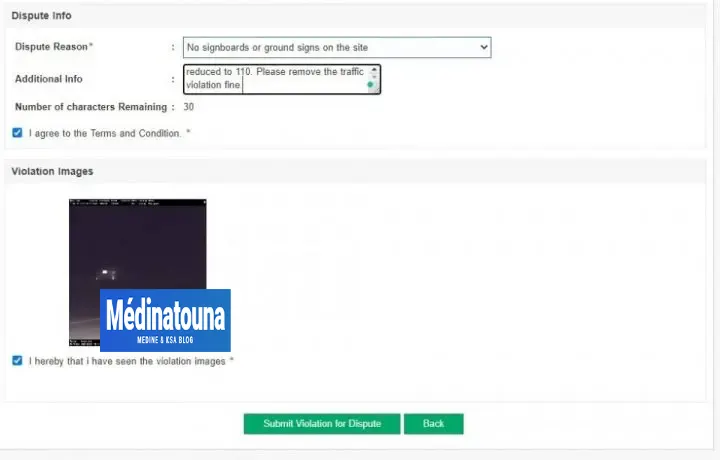
- A new page will open where you will need to enter the details to contest the traffic violation.
- Reason for the dispute: Select the reason according to your case.
- Additional information: Explain why you wish to contest the violation.
- Special characters are not allowed: Remove all special characters (., !, ?, ', ‘, etc.) and you should be ready to continue. Accept the terms and conditions.
- Click the "Submit violation for dispute" button. Click the "Confirm" button on the next page. To get all the latest news, please join our Telegram group. CLICK HERE
Congratulations, you have successfully created a challenge against the traffic violation.
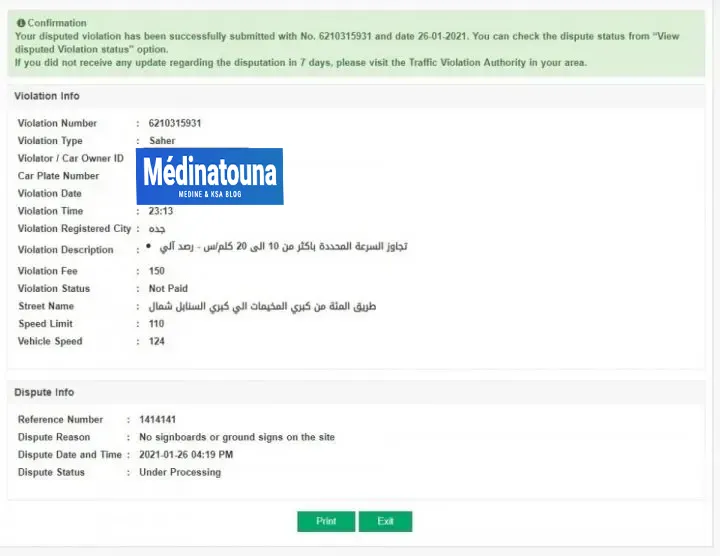
Check the status of your traffic violation appeal
To check the status of violations already contested:
- Log in to your Absher account at the address https://www.absher.sa/.
- Click on "Services" in the "My Services" section.
- Select "Traffic" from the available options.
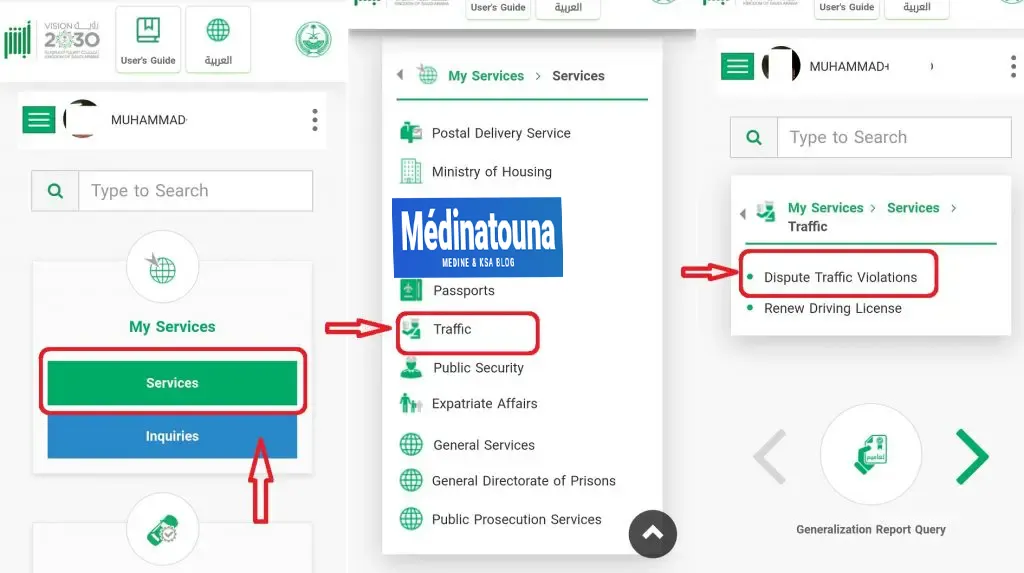
- Click on the "Contest the traffic violation" button.
- Select the "Show disputed offences" button.
- Dispute status = Under review.
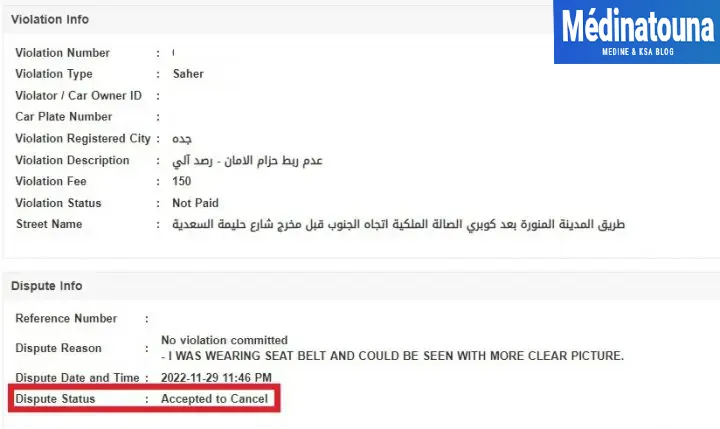
- Dispute status = Accepted for cancellation.
- If the dispute concerning the offence is accepted by the traffic police, the amount of the fine will be deducted from your account within one week.
Go to the traffic police station. If the status of your traffic violation dispute remains "in progress" even after 7 days from the date of the complaint, you should go to the traffic police station.
To do this: Make an appointment with the Muroor (municipal police) with the reason "اجراءات الهيئات المرورية" (municipal traffic violations). Locate the traffic violation office. The assigned officer will ask you to provide the "traffic violation ID." If your case is accepted, you will be asked to fill out a form in Arabic. Submit the form, and the fine will be removed from your Iqama (municipal registration card).