The platform Absher is an official portal of the Ministry of the Interior of Saudi Arabia allowing citizens and residents to carry out their administrative procedures online.
Updating your passport information generally concerns residents holding a Iqama (residence permit).
🧭 Detailed steps to update your passport
1️⃣ Download the Absher app
- Available on Android and iPhone
- To research Absher أفراد
2️⃣ Log in to your account
- connect to Absher
- Enter your Iqama number
- Password
- Verification code received via SMS
3️⃣ Access the service
Within the application:
➡️ Main Menu
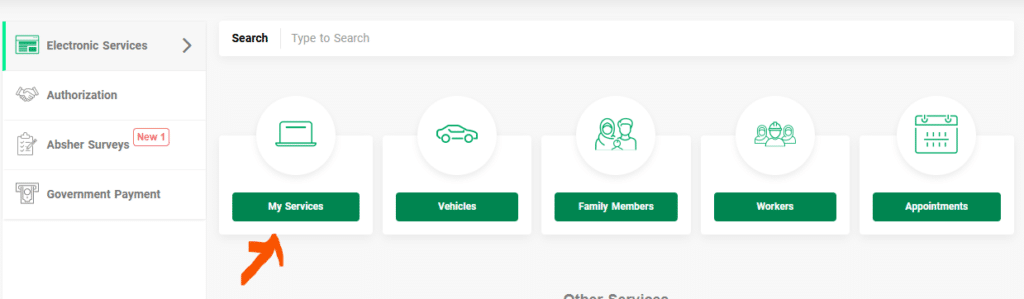
➡️ My Services (خدماتي)
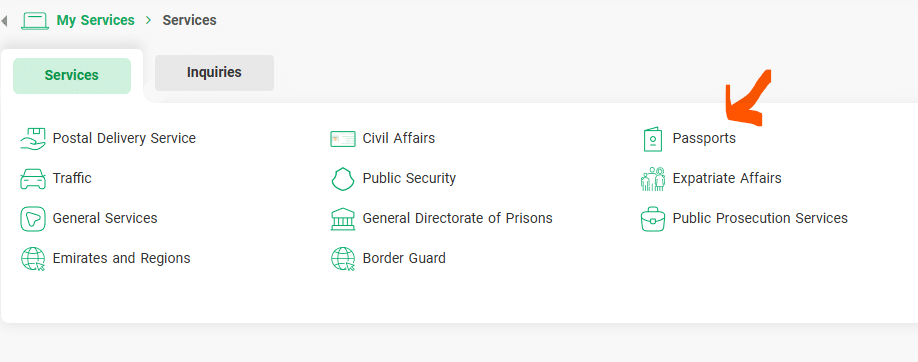
➡️ Passports
➡️ Resident Services
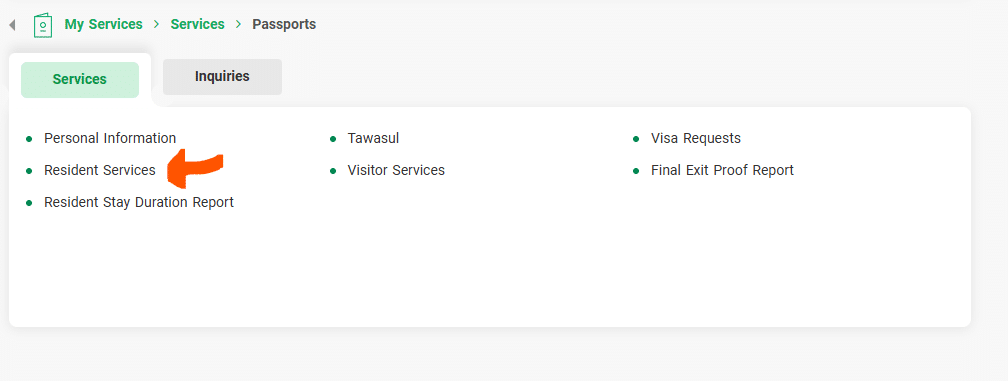
➡️ Change your photo
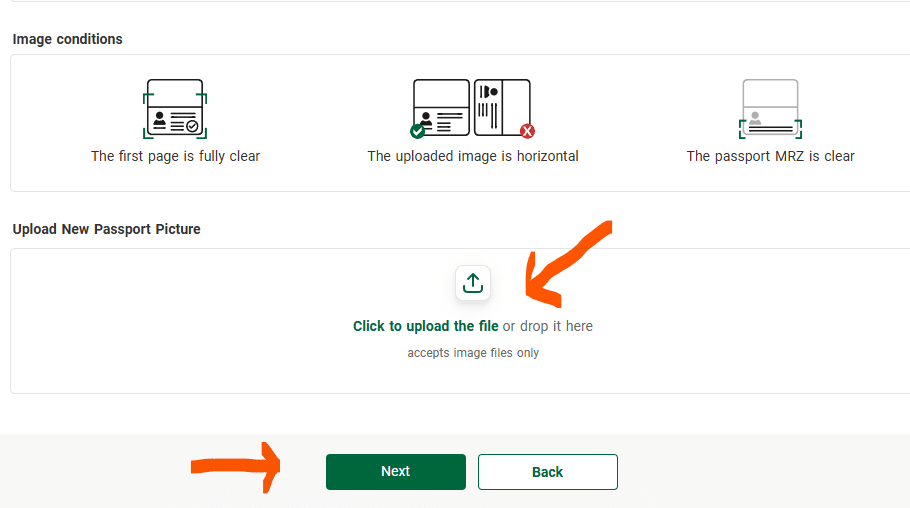
4️⃣ Submit the request
- Check your personal information
- Follow the instructions (according to your situation)
- Confirm the request
5️⃣ Payment (if applicable)
Some updates may require a fee.
Payment is made via:
- SADAD
- Online banking
- Bank card
6️⃣ Wait for validation
- The request is being reviewed by the authorities
- Notification sent via SMS or within the app
📋 Important conditions
- The Absher account must be activated
- Phone number registered in your name
- Iqama valid
- No administrative restrictions currently in place
⏱️ Processing time
In general :
- A few business days
- May vary depending on administrative workload
To get the latest news, you can join our Our YouTube Channel our Telegram channel Follow us on Instagram here